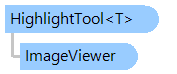
Класс HighlightTool<T>
В этом разделе
Визуальный инструмент, позволяющий выделить несколько ColoredObjects<T> на изображении.
Объектная модель
Синтаксис
'Declaration

Public Class HighlightTool
     (Of T{b}T{/b} must be a class that implements T:Vintasoft.Imaging.IBoundedObject interface. As Class, Vintasoft.Imaging.IBoundedObject})
   Inherits VisualTool
public class HighlightTool<T> : VisualTool
where T: class, Vintasoft.Imaging.IBoundedObject
public __gc class HighlightTool<T> : public VisualTool*
where T: class, Vintasoft.Imaging.IBoundedObject*
generic<typename T>
public ref class HighlightTool : public VisualTool^
where T: ref class, Vintasoft.Imaging.IBoundedObject^
Type Parameters
- T
- {b}T{/b} must be a class that implements T:Vintasoft.Imaging.IBoundedObject interface.
Пример
Вот C#/VB.NET код, который демонстрирует, как выделить набор прямоугольников на изображении в WinForms просмотрщике изображений.
Public Sub AddRectanglesOnImageInImageViewer(viewer As Vintasoft.Imaging.UI.ImageViewer)
    Dim random As New System.Random()

    ' create a set of random red rectangles
    Dim redObjects As New Vintasoft.Imaging.UI.VisualTools.ColoredObjects(Of HightlightRectangle)(CreateRandomHightlightRectangles(random, viewer.Image.Width, viewer.Image.Height, 16))
    ' set the brush for red rectangles
    redObjects.Brush = New System.Drawing.SolidBrush(System.Drawing.Color.FromArgb(128, 255, 0, 0))
    ' set the pen for red rectangles
    redObjects.Pen = New System.Drawing.Pen(System.Drawing.Color.FromArgb(64, 0, 0, 0))

    ' create a set of random green rectangles
    Dim greenObjects As New Vintasoft.Imaging.UI.VisualTools.ColoredObjects(Of HightlightRectangle)(CreateRandomHightlightRectangles(random, viewer.Image.Width, viewer.Image.Height, 16))
    ' set the brush for green rectangles
    greenObjects.Brush = New System.Drawing.SolidBrush(System.Drawing.Color.FromArgb(128, 0, 255, 0))
    ' set the pen for green rectangles
    greenObjects.Pen = New System.Drawing.Pen(System.Drawing.Color.FromArgb(64, 0, 0, 0))

    ' create a set of random blue rectangles
    Dim blueObjects As New Vintasoft.Imaging.UI.VisualTools.ColoredObjects(Of HightlightRectangle)(CreateRandomHightlightRectangles(random, viewer.Image.Width, viewer.Image.Height, 16))
    ' set the brush for blue rectangles
    blueObjects.Brush = New System.Drawing.SolidBrush(System.Drawing.Color.FromArgb(128, 0, 0, 255))
    ' set the pen for blue rectangles
    blueObjects.Pen = New System.Drawing.Pen(System.Drawing.Color.FromArgb(64, 0, 0, 0))

    ' create the visual tool for highlighting rectangles on image in image viewer
    Dim highlightTool As New Vintasoft.Imaging.UI.VisualTools.HighlightTool(Of HightlightRectangle)()
    ' add red rectangles to the visual tool
    highlightTool.Items.Add(redObjects)
    ' add green rectangles to the visual tool
    highlightTool.Items.Add(greenObjects)
    ' add blue rectangles to the visual tool
    highlightTool.Items.Add(blueObjects)

    ' set the HighlightTool as the active visual tool in image viewer,
    ' i.e. show the rectangles on image in image viewer
    viewer.VisualTool = highlightTool
End Sub

''' <summary>
''' Creates an array with random rectangles on image.
''' </summary>
Private Function CreateRandomHightlightRectangles(random As System.Random, imageWidth As Integer, imageHeight As Integer, rectCount As Integer) As HightlightRectangle()
    Dim objects As HightlightRectangle() = New HightlightRectangle(rectCount - 1) {}
    For i As Integer = 0 To rectCount - 1
        Dim x As Integer = random.[Next](imageWidth)
        Dim y As Integer = random.[Next](imageHeight)
        Dim width As Integer = random.[Next](System.Math.Min(100, imageWidth - x))
        Dim height As Integer = random.[Next](System.Math.Min(100, imageHeight - y))
        objects(i) = New HightlightRectangle(New System.Drawing.Rectangle(x, y, width, height))
    Next
    Return objects
End Function

''' <summary>
''' A rectangle that must be highlighted on image in image viewer.
''' </summary>
Public Class HightlightRectangle
    Implements Vintasoft.Imaging.IBoundedObject

    Private _rect As System.Drawing.Rectangle


    Public Sub New(rect As System.Drawing.Rectangle)
        _rect = rect
    End Sub


    Public Function GetBoundingBox() As System.Drawing.Rectangle Implements Vintasoft.Imaging.IBoundedObject.GetBoundingBox
        Return _rect
    End Function

End Class
public void AddRectanglesOnImageInImageViewer(Vintasoft.Imaging.UI.ImageViewer viewer)
{
    System.Random random = new System.Random();

    // create a set of random red rectangles
    Vintasoft.Imaging.UI.VisualTools.ColoredObjects<HightlightRectangle> redObjects =
        new Vintasoft.Imaging.UI.VisualTools.ColoredObjects<HightlightRectangle>(
            CreateRandomHightlightRectangles(random,
            viewer.Image.Width, viewer.Image.Height, 16));
    // set the brush for red rectangles
    redObjects.Brush = new System.Drawing.SolidBrush(
        System.Drawing.Color.FromArgb(128, 255, 0, 0));
    // set the pen for red rectangles
    redObjects.Pen = new System.Drawing.Pen(
        System.Drawing.Color.FromArgb(64, 0, 0, 0));

    // create a set of random green rectangles
    Vintasoft.Imaging.UI.VisualTools.ColoredObjects<HightlightRectangle> greenObjects =
        new Vintasoft.Imaging.UI.VisualTools.ColoredObjects<HightlightRectangle>(
            CreateRandomHightlightRectangles(random,
            viewer.Image.Width, viewer.Image.Height, 16));
    // set the brush for green rectangles
    greenObjects.Brush = new System.Drawing.SolidBrush(
        System.Drawing.Color.FromArgb(128, 0, 255, 0));
    // set the pen for green rectangles
    greenObjects.Pen = new System.Drawing.Pen(
        System.Drawing.Color.FromArgb(64, 0, 0, 0));

    // create a set of random blue rectangles
    Vintasoft.Imaging.UI.VisualTools.ColoredObjects<HightlightRectangle> blueObjects =
        new Vintasoft.Imaging.UI.VisualTools.ColoredObjects<HightlightRectangle>(
            CreateRandomHightlightRectangles(random,
            viewer.Image.Width, viewer.Image.Height, 16));
    // set the brush for blue rectangles
    blueObjects.Brush = new System.Drawing.SolidBrush(
        System.Drawing.Color.FromArgb(128, 0, 0, 255));
    // set the pen for blue rectangles
    blueObjects.Pen = new System.Drawing.Pen(
        System.Drawing.Color.FromArgb(64, 0, 0, 0));

    // create the visual tool for highlighting rectangles on image in image viewer
    Vintasoft.Imaging.UI.VisualTools.HighlightTool<HightlightRectangle> highlightTool =
        new Vintasoft.Imaging.UI.VisualTools.HighlightTool<HightlightRectangle>();
    // add red rectangles to the visual tool
    highlightTool.Items.Add(redObjects);
    // add green rectangles to the visual tool
    highlightTool.Items.Add(greenObjects);
    // add blue rectangles to the visual tool
    highlightTool.Items.Add(blueObjects);

    // set the HighlightTool as the active visual tool in image viewer,
    // i.e. show the rectangles on image in image viewer
    viewer.VisualTool = highlightTool;
}

/// <summary>
/// Creates an array with random rectangles on image.
/// </summary>
private HightlightRectangle[] CreateRandomHightlightRectangles(
    System.Random random,
    int imageWidth,
    int imageHeight,
    int rectCount)
{
    HightlightRectangle[] objects = new HightlightRectangle[rectCount];
    for (int i = 0; i < rectCount; i++)
    {
        int x = random.Next(imageWidth);
        int y = random.Next(imageHeight);
        int width = random.Next(System.Math.Min(100, imageWidth - x));
        int height = random.Next(System.Math.Min(100, imageHeight - y));
        objects[i] = new HightlightRectangle(
            new System.Drawing.Rectangle(x, y, width, height));
    }
    return objects;
}

/// <summary>
/// A rectangle that must be highlighted on image in image viewer.
/// </summary>
public class HightlightRectangle : Vintasoft.Imaging.IBoundedObject
{

    System.Drawing.Rectangle _rect;


    public HightlightRectangle(System.Drawing.Rectangle rect)
    {
        _rect = rect;
    }


    public System.Drawing.Rectangle GetBoundingBox()
    {
        return _rect;
    }

}
Иерархия наследования
System.Object
Vintasoft.Imaging.UI.VisualTools.VisualTool
Vintasoft.Imaging.UI.VisualTools.HighlightTool<T>
Требования
Целевые платформы: .NET 11; .NET 10; .NET 9; .NET 8; .NET 6; .NET Framework 4.8, 4.7, 4.6, 4.5, 4.0, 3.5
Смотрите также